
How to find a lost AirTag on Android
On Android, TFind finds a lost item with an AirTag by scanning for it over Bluetooth and beeping the AirTag once it's separated from its owner.
Updated August 14, 2026
 Free to download · Android 8.0+ · contains ads & optional Pro (subscription or one-time)
To find a lost AirTag on Android, scan for it with TFind. It is free and runs on any Android 8.0+ phone. TFind hears the AirTag over Bluetooth within about 5–10 metres. It shows how close you are and beeps a tag that is away from its owner. Past that range, TFind cannot find it.
Lost something with an AirTag on it and you’re on Android, not an iPhone? You can still find it — walk the space and let the distance band guide you.
Step by step
- Install TFind from Google Play and open it.
- Tap Start Scan and allow Bluetooth and Location — it needs both to hear nearby tags.
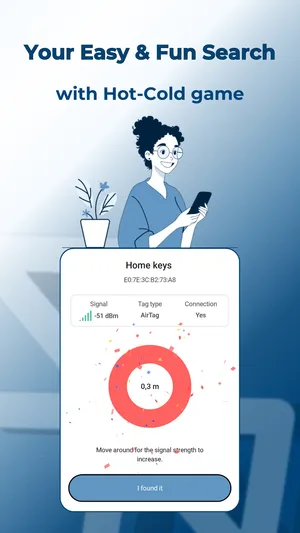
- Find your AirTag in the list. Walk around slowly and watch the distance band rise as you get closer.
- When you’re close, tap Play Sound. If the tag is separated from its owner, it beeps for about 15 seconds so you can pinpoint it.
- Still stuck? Wait a moment and scan again — an AirTag only broadcasts every 15 minutes or so.
“found a tag i lost”
— Google Play review, February 2026
If it won’t beep
An AirTag next to its owner’s iPhone stays silent by Apple’s design, so TFind can sound a tag only when it’s been left on its own. The first three plays are free; sounding tags after that is part of Pro.
What works on Android — and what doesn't
Works on Android
- Scans for the AirTag over Bluetooth and shows how close you are
- Beeps a separated AirTag so you can find it by sound (3 free plays, then Pro)
- No iPhone or Apple ID needed — it runs on any Android 8.0+ phone
- Ignores your saved My Tags so the search stays focused
Honest limits
- You need to be within Bluetooth range (~5–10 m) — TFind can't locate an AirTag across town
- The distance reading jumps around; use it as warmer/colder while you walk, not a precise pointer
- If the AirTag is with its owner's iPhone it stays silent and can't be beeped
- An AirTag broadcasts about every 15 minutes, so give a scan a minute before deciding it isn't there
On iPhone? TFind is Android-only. On an iPhone, open Apple's Find My app to locate your AirTag.
FAQ
- Can TFind find an AirTag that's far away?
- No. It works over Bluetooth, so you need to be within roughly 5–10 metres. It's for finding something lost in the house, office or car — not tracking a tag across a city.
- Is beeping the AirTag free?
- The first three sound plays are free. After that, playing a sound on an AirTag is a Pro feature.
- What if the AirTag won't make a sound?
- That usually means its owner's iPhone is nearby, which keeps the tag quiet. TFind can only beep an AirTag that's separated from its owner.
- Does TFind show where a lost AirTag was last seen on a map?
- No. TFind lists the tags broadcasting near you right now, not a history of where one has been. The map is a Pro feature, and it plots what a scan picks up. Once an AirTag is out of Bluetooth range, about 5–10 metres, TFind cannot see it at all.