Find AirTags, SmartTags & Tiles on Android — yours, or one that's tracking you
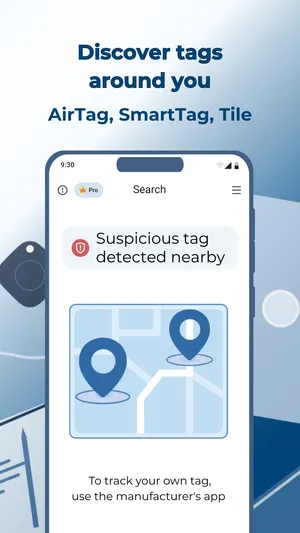
TFind is an Android app that listens for Apple AirTags,
Samsung SmartTags and Tile trackers around you. It is
free to download and scan, with ads. Find something
you've misplaced, or spot a tracker you don't recognise turning up
wherever you go.
Free to download · Android 8.0+ · contains ads & optional Pro (subscription or one-time)
★ 3.7 · 402 ratings on Google Play ·
Updated
Find an AirTag, SmartTag or Tile you own
Keys down the back of the sofa? Luggage with an AirTag on it? Scan,
follow the distance as it gets warmer, and beep a separated AirTag until
you hear where it is.
Catch an unknown tracker following you
A stray tag you pass once means nothing. TFind speaks up when the same
unknown tracker keeps showing up near you — the pattern that says
something is travelling with you.
What works on Android — and what doesn't
Works on Android
Scans for Apple AirTag, Samsung SmartTag / SmartTag+, and Tile over Bluetooth LE
Estimates how close a tag is from signal strength (6 distance bands)
Alerts when an unknown tracker is seen following you (≥2 sightings, ≥15 min & ≥200 m apart)
Plays a sound on a separated AirTag to help you find it (3 free plays, then Pro)
“My Tags” — mark your own trackers so they stop triggering alerts
Honest limits
Bluetooth range is ~5–10 m and walls block it; AirTags rebroadcast only ~every 15 min, so detection is intermittent
No ultra-wideband precision finding — TFind walks you closer by signal, it doesn’t point an exact arrow
An AirTag sitting next to its owner’s iPhone stays nearly silent by Apple’s design — TFind finds separated or unknown tags
Doesn’t detect Chipolo, Pebblebee or generic Find My clones, and can’t reveal who owns a tag
Needs Location permission to scan; continuous background detection keeps a notification running
On iPhone? TFind is Android-only. On iPhone, use Apple’s built-in Tracker Detect / Find My safety alerts to check for unknown AirTags.
What Android users say
“It clearly shows nearby AirTags without lots of other Bluetooth
devices cluttering the list, and it shows a fairly accurate distance.”
“The scanning process is fast, reliable, and easy to use, while the
interface is clean and intuitive.”
TFind is an Android app that scans over Bluetooth for nearby Apple AirTags, Samsung SmartTags and Tile trackers. It lists the ones it finds with an estimated distance, and warns you when an unknown tracker keeps turning up wherever you go. It is free to download and scan, with ads.
Does TFind work on Android?
Yes — TFind is an Android app (Android 8.0 and newer). It is not available on iPhone.
Which trackers can it detect?
Apple AirTag, Samsung SmartTag and SmartTag+, and Tile. It does not detect Chipolo, Pebblebee or generic Find My clones.
Is TFind free?
It’s free to download and scan, with ads. Pro unlocks the map, unlimited sound plays and removes ads — you can take it as a subscription or as a one-time lifetime purchase.

 Free to download · Android 8.0+ · contains ads & optional Pro (subscription or one-time)