
Do AirTags work with Android?
TFind is an Android app that detects a nearby Apple AirTag, Samsung SmartTag or Tile over Bluetooth and shows how close it is. It cannot set up or track an AirTag you own.
Updated October 31, 2026
 Free to download · Android 8.0+ · contains ads & optional Pro (subscription or one-time)
You cannot set up or track your own AirTag on Android. But an Android phone can detect an AirTag that is near you. Apple lists an Apple Account plus an iPhone or iPad as what an AirTag needs. Android gets the other half: it can spot an AirTag that is someone else’s, and TFind shows how close it is.
What an AirTag needs
Apple’s AirTag page lists its system requirements as:
- an Apple Account
- an iPhone with iOS 26.0 or later, or an iPad with iPadOS 26.0 or later
No Android phone is on that list. So on Android you cannot add an AirTag, name it, see it on a map or get its location reports. Those go only to the owner’s Apple devices.
What Android can do with an AirTag
Apple and Google wrote a shared standard so that both iPhone and Android warn you about a tracker moving with you. On Android this means:
- Alerts on their own. Your phone can warn you when an unknown AirTag travels with you.
- A manual scan. Open Settings, tap Safety & Emergency, tap Unknown tracker alerts, then Scan now. Google says it takes about 10 seconds.
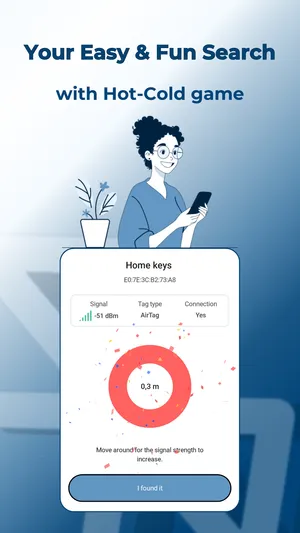
- Walk to it with TFind. The built-in scan tells you a tracker is near. TFind shows a distance band, so you can follow it to the tag, and it can play a sound on an AirTag that is away from its owner.
Want a tag of your own on Android?
Buy a tag made for Android, not an AirTag. Look at tags built for Google’s Find Hub, the Android service that finds your own devices and items. TFind does not track tags you own. It detects tags near you: AirTag, Samsung SmartTag and Tile.
Related pages
- Find a nearby AirTag on Android — the full walk-to-it method
- How to find an AirTag in your car with Android — if you think one is hidden in your car
- Best AirTag and tracker detector apps for Android — five apps compared
- Which trackers TFind detects — the full list
What works on Android — and what doesn't
Works on Android
- Detects someone else's AirTag near you on any Android 8.0 or newer phone, and shows a distance band you can walk toward
- Plays a sound on an AirTag that is away from its owner, so you can find where it is hidden
- Names AirTag, Samsung SmartTag and Tile in one list, so you can tell an Apple tag from the tags Android phones use
Honest limits
- You cannot set up, register or track your own AirTag from Android. Apple lists an Apple Account plus an iPhone or iPad as the only way to use one
- No Android app can show an AirTag's location on a map the way Apple's Find My does. Its location reports go only to the owner's Apple devices
- An AirTag next to its owner's iPhone stays almost silent by Apple's design, so an Android phone often cannot see it until the two are apart
- TFind cannot show who owns an AirTag. A Bluetooth broadcast carries no owner name
On iPhone? TFind is Android-only. To set up and track your own AirTag you need an iPhone or iPad with Apple's Find My.
FAQ
- Do AirTags work with Android?
- Only in one direction. You cannot set up or track your own AirTag on an Android phone; Apple requires an iPhone or iPad and an Apple Account. But an Android phone can detect someone else's AirTag near you, with Android's built-in alerts or with an app such as TFind.
- Is there an Android version of the AirTag?
- Apple does not make one. For a tag of your own on Android, look at tags built for Google's Find Hub, the Android service that finds your own devices and items. TFind does not track tags you own. It detects tags near you.
- Can an Android phone detect an AirTag?
- Yes. Android has built-in unknown tracker alerts and a manual scan under Settings, then Safety & Emergency, then Unknown tracker alerts. TFind, a free Android app with ads, also shows how close the AirTag is so you can walk to it and play a sound on it.
- Can I use an AirTag to track my things if I only have Android?
- No. An AirTag reports its location only to its owner's Apple devices. With Android only, choose a tag made for Android instead. TFind can still find an AirTag that is near you, but it cannot show where an AirTag is when you are far away.